

How Does a Rugged Android Touch Tablet Improve Industrial Operations?
A Rugged Android Touch Tablet can support industrial operations through responsive touch interaction, clear visual information, flexible connectivity, and integrated computing. At CCETOUCH, we offer 43-inch, 55-inch, and 65-inch 4K touch tablet configurations with an RK3399 six-core processor, 10-point infrared touch, Gigabit Ethernet, and multiple I/O interfaces for industrial and commercial applications.
Table of Contents
- 1. What Challenges Affect Daily Industrial Operations?
- 2. How Does a Rugged Android Touch Tablet Improve Efficiency?
- 3. Key Specifications for Industrial Applications
- 4. Where Can Industrial Touch Tablets Be Used?
- 5. Why Do Connectivity and System Integration Matter?
- 6. How to Choose the Right Industrial Touch Tablet?
- 7. Frequently Asked Questions
What Challenges Affect Daily Industrial Operations?
Industrial operations depend on accurate information, timely communication, and consistent interaction between operators and equipment. However, many production facilities and commercial environments still use separate computers, conventional displays, and manual control interfaces for different tasks. This setup can make information management more complicated than necessary.
For example, operators may need to check production instructions on one screen, access equipment information through another terminal, and enter operational records using a separate computer. Switching between these devices takes time and can make it harder to keep information synchronized.
Display visibility is another practical concern. In a control room or production area, several people may need to view the same operational information. A small screen can limit the amount of data displayed at once, while an unsuitable touch interface can slow down interaction.
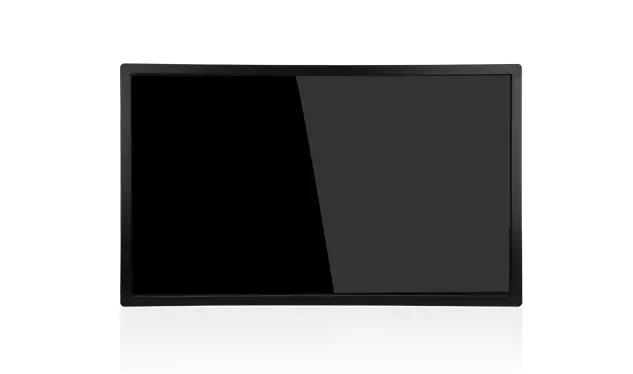
Based on these requirements, we see increasing demand for integrated touch screen terminals that combine computing, display, networking, and interactive control in one device. A properly configured Rugged Android Touch Tablet can serve as a centralized interface for accessing digital information and operating compatible industrial applications.
How Does a Rugged Android Touch Tablet Improve Efficiency?
We believe the value of an industrial touch tablet should be measured by how well it fits into an actual workflow, rather than by screen size or processor specifications alone. Several technical features can make a practical difference in daily operations.
1. Large 4K Display for Better Information Visibility
Our touch tablet series is available in 43-inch, 55-inch, and 65-inch configurations, all featuring a 3840 × 2160 UHD resolution. This gives industrial users more screen space for production dashboards, equipment status information, process diagrams, and visual instructions.
For example, a factory supervisor can display production progress, machine operating status, and work instructions on the same screen. Instead of moving between multiple small displays, staff can view related information in one place.
Brightness also matters when selecting a display. The 43-inch model offers a typical brightness of 400 cd/m², while the 55-inch and 65-inch models provide 500 cd/m². These specifications support clear viewing in suitable indoor environments, although actual visibility should be evaluated under the lighting conditions of the installation site.
2. 10-Point Infrared Touch for Direct Interaction
A touch interface allows operators to interact with software directly instead of relying entirely on a keyboard and mouse. Our models use infrared (IR) touch technology and support 10-point touch input.
The touch screen also provides more than 93% light transmittance and a 7H surface hardness rating. These characteristics help maintain display visibility and provide a hard surface for regular touch interaction.
In applications such as production dashboards, equipment information terminals, and interactive instruction systems, operators can select menus, switch between screens, and access relevant information directly. This makes the interface easier to use in environments where quick access to information is important.
3. Six-Core Processing for Integrated Applications
Processing capability determines how smoothly an interactive terminal handles its operating system and applications. Our Rugged Android Touch Tablet uses a Rockchip RK3399 platform with a six-core 64-bit ARM processor running at 2.0 GHz.
It is paired with an ARM Mali-T860 MP4 quad-core GPU, supporting OpenGL ES, OpenCL, and DirectX 11.1. This hardware configuration provides a computing and graphics platform for interactive applications, visual dashboards, and multimedia content.
For industrial projects, we recommend checking the software requirements, application workload, and memory configuration before finalizing the hardware. The listed memory specification supports up to 32GB, but the actual supplied configuration should be confirmed for each model.
Key Specifications for Industrial Applications
When comparing industrial touch screen terminals, we recommend evaluating display performance, touch capability, computing hardware, connectivity, and operating conditions together. The following table summarizes the main specifications of our three screen-size options.
| Specification | 43-Inch Model | 55-Inch Model | 65-Inch Model |
|---|---|---|---|
| Model | CATPC043HW104 | CATPC055HW102 | CATPC065HW101 |
| Screen Size | 43 Inches | 55 Inches | 65 Inches |
| Resolution | 3840 × 2160 | 3840 × 2160 | 3840 × 2160 |
| Typical Brightness | 400 cd/m² | 500 cd/m² | 500 cd/m² |
| Contrast Ratio | 1000:1 | 1100:1 | 1100:1 |
| Processor | Rockchip RK3399, Six-Core ARM 64-bit, 2.0 GHz | ||
| GPU | ARM Mali-T860 MP4 Quad-Core GPU | ||
| Touch Technology | Infrared Touch, 10-Point | ||
| Light Transmittance | More Than 93% | ||
| Surface Hardness | 7H | ||
| Ethernet | 10/100/1000 Mbps | ||
| Wireless Network | 2.4GHz / 5GHz Dual-Band Wi-Fi | ||
| Operating Temperature | 0°C to 50°C | ||
| Operating Humidity | 5% to 90% RH | ||
| Operating System | Android 7.1 / Ubuntu 16.04 / U-Boot | ||
These specifications provide a useful starting point for evaluating a large-format industrial touch display. The 43-inch version is suitable for installations with more limited wall or mounting space, while the 55-inch and 65-inch versions offer more viewing area for shared information and interactive presentations.
Where Can Industrial Touch Tablets Be Used?
Different industrial and commercial projects have different interface requirements. Based on our product configuration, we identify several application scenarios where a large-format Android touch terminal can be useful.
Manufacturing Facilities and Production Monitoring
In manufacturing environments, a large touch display can provide access to production dashboards, work instructions, equipment information, and process-related data. When connected to a compatible management system, it can help supervisors and operators view operational information through a centralized interface.
For instance, a production department can configure a dashboard to display production targets, current output, equipment status, and quality inspection records. The 4K display provides sufficient resolution for presenting multiple information panels simultaneously.
Industrial Control Rooms
Control rooms often require a shared display for monitoring several operational indicators. A 55-inch or 65-inch touch tablet can serve as an interactive information terminal for viewing system dashboards, diagrams, and equipment-related information.
Its Gigabit Ethernet connection also provides a wired networking option for installations where stable network communication is preferred. The actual connection to industrial control systems depends on the software architecture and compatible communication interfaces.
Warehouse and Logistics Management
Warehousing operations involve inventory checks, order information, stock movement, and logistics coordination. An Android touch terminal can provide a centralized interface for accessing warehouse management applications and displaying operational instructions.
With optional 4G connectivity, the device can also be configured for network access in installations where a wired Ethernet connection is not practical. Project teams should confirm cellular frequency compatibility and network availability before deployment.
Self-Service and Interactive Information Terminals
Beyond manufacturing, large-format touch displays are suitable for commercial self-service and public information applications. They can be integrated into interactive kiosks, visitor information systems, product selection terminals, and digital information stations.
The 10-point infrared touch interface allows users to interact directly with on-screen content, while the large display makes information easier to present in public or shared spaces.
Why Do Connectivity and System Integration Matter?
In an industrial project, a touch tablet rarely operates independently. It usually needs to communicate with other devices, applications, and management systems. This is why we consider I/O interfaces an important part of product selection.
Our product configuration includes several connection options:
| Interface | Quantity / Specification | Potential Application |
|---|---|---|
| USB 2.0 HOST | 6 Ports | Connecting compatible USB peripherals |
| USB 3.0 HOST | 1 Port | Connecting compatible external devices |
| USB 3.0 Type-C | 1 Port | Peripheral and data connectivity |
| HDMI IN | 1 Port | External video input |
| RS232 | 4 Ports | Compatible serial communication devices |
| UART TTL | 1 Port | Compatible embedded communication devices |
| Gigabit Ethernet | 10/100/1000 Mbps | Wired network communication |
| Mini PCIe | 1 Slot (4G LTE) | Optional cellular connectivity |
| SIM Card | 1 Slot | Optional mobile network access |
| Digital I/O | 4 I/O | Compatible external signal connections |
For example, an installation may use USB interfaces for compatible peripherals, RS232 ports for serial communication equipment, and Ethernet for network access. The HDMI input can also support an external video source when the application requires it.
However, having an interface available does not automatically guarantee compatibility with every industrial device. Before ordering, we recommend checking communication protocols, connector definitions, voltage requirements, driver support, and application software compatibility.
How to Choose the Right Industrial Touch Tablet?
We recommend starting with the installation environment and actual workflow rather than selecting the largest screen or highest specification by default. The following factors can help narrow down the right configuration.
1. Determine the Required Screen Size
Consider the viewing distance, available installation space, number of users, and amount of information displayed. A 43-inch display may be sufficient for a dedicated workstation, while a 55-inch or 65-inch version may be more appropriate for shared dashboards and control-room applications.
2. Check Brightness and Viewing Conditions
Screen brightness should match the ambient lighting of the installation area. Our models provide 400–500 cd/m² typical brightness, making them suitable for evaluating indoor applications. Projects involving direct sunlight or strong outdoor lighting may require a different display configuration.
3. Confirm Hardware and Software Compatibility
Before purchasing an Android touch tablet, check whether its processor, memory, operating system, and available interfaces support the intended application. Our listed operating systems include Android 7.1 and Ubuntu 16.04. Since these are older software versions, customers should verify application compatibility, security update requirements, and long-term maintenance arrangements before deployment.
4. Evaluate Environmental Requirements
The listed operating temperature is 0°C to 50°C, with an operating humidity range of 5% to 90% RH. These conditions should be compared with the actual installation environment.
We also recommend confirming the required IP protection, dust resistance, water resistance, vibration resistance, and impact protection separately. The specifications listed for this model do not establish a specific IP rating or drop-resistance certification, so these requirements should be verified before using the device in harsh industrial environments.
5. Plan Connectivity Before Installation
Prepare a list of all external devices and network connections required by the project. Checking USB, RS232, Ethernet, HDMI, and optional 4G requirements in advance can reduce additional adapter requirements and installation adjustments.
How CCETOUCH Supports Industrial Touch Display Projects
At CCETOUCH, we have focused on intelligent terminal technology since 2010. Our product range covers touch screens, touch screen displays, high-brightness displays, touch tablets, touch screen terminals, and interactive kiosks.
We operate our own manufacturing facility and have an experienced R&D team with more than 10 years of experience in digital terminal equipment. This allows us to work on product development, appearance design, hardware configuration, and customized solutions according to project requirements.
Our quality management and product compliance work are supported by ISO, CE, FCC, and UKCA certifications. We also serve customers across North America, Europe, and the Middle East through direct sales channels and business partners.
For industrial and commercial touch terminal projects, we recommend discussing the intended application, display size, interface requirements, operating environment, and software configuration before confirming an order. This helps establish whether the standard configuration is suitable or whether further customization is required.
Frequently Asked Questions
1. What Is a Rugged Android Touch Tablet Used For?
A Rugged Android Touch Tablet is designed to provide an interactive computing and display interface for industrial and commercial applications. Typical uses include production monitoring, equipment information terminals, control-room dashboards, warehouse management interfaces, and self-service kiosks. Its actual suitability for harsh environments depends on verified protection ratings and environmental specifications.
2. What Screen Sizes Are Available in the CCETOUCH Touch Tablet Series?
Our current product configuration includes 43-inch, 55-inch, and 65-inch models. All three feature a 3840 × 2160 UHD resolution, with typical brightness levels of 400 cd/m² for the 43-inch model and 500 cd/m² for the other two models.
3. Does the CCETOUCH Android Touch Tablet Support Multi-Touch?
Yes. The product uses infrared touch technology and supports 10-point touch input. It also provides more than 93% light transmittance and a 7H surface hardness rating.
4. Which Processor Does This Industrial Touch Tablet Use?
It uses a Rockchip RK3399 six-core 64-bit ARM processor running at 2.0 GHz, paired with an ARM Mali-T860 MP4 quad-core GPU. This platform supports the device's Android-based interactive applications and display functions.
5. Can the Touch Tablet Connect to External Industrial Equipment?
Yes. The listed interfaces include four RS232 ports, six USB 2.0 HOST ports, one USB 3.0 HOST port, one USB 3.0 Type-C port, Gigabit Ethernet, HDMI IN, UART TTL, and digital I/O. Compatibility should be checked against the specific external equipment and communication requirements.
6. Does the Rugged Android Touch Tablet Support 4G Connectivity?
Optional 4G LTE connectivity is listed in the product specifications. The configuration includes a Mini PCIe slot and a SIM card slot. Supported cellular bands and network compatibility should be confirmed for the destination market before ordering.
7. What Is the Operating Temperature of This Touch Tablet?
The specified operating temperature range is 0°C to 50°C, and the operating humidity range is 5% to 90% RH. For installations outside these conditions, additional environmental requirements should be evaluated before selecting the device.
8. Can CCETOUCH Provide Customized Touch Terminal Solutions?
Yes. Our R&D and manufacturing teams can discuss customized product requirements based on the application, hardware configuration, appearance design, and project specifications. Customers can contact our team to review the feasibility of their intended configuration.
Conclusion
Improving industrial operations is not simply a matter of adding a larger display. The right touch terminal needs to combine suitable computing performance, clear visual presentation, responsive interaction, and reliable connections with other equipment.
With 43-inch, 55-inch, and 65-inch 4K display options, 10-point infrared touch technology, an RK3399 six-core processor, and multiple I/O interfaces, the CCETOUCH Rugged Android Touch Tablet provides a flexible hardware platform for industrial information terminals and commercial interactive applications.
At CCETOUCH, we focus on matching touch display configurations to real project requirements. If you are planning an industrial touch terminal or large-format interactive display project, contact our team to discuss the screen size, interfaces, operating system, and customization options that fit your application.