
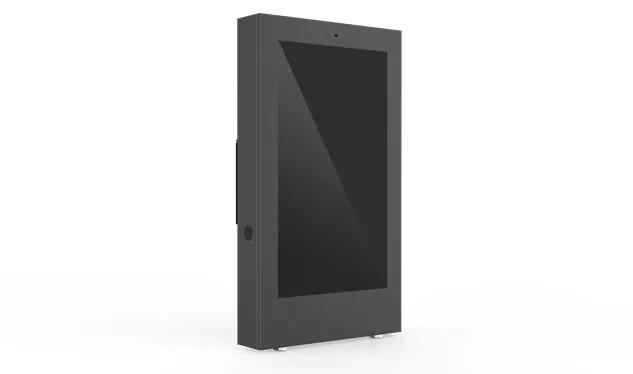
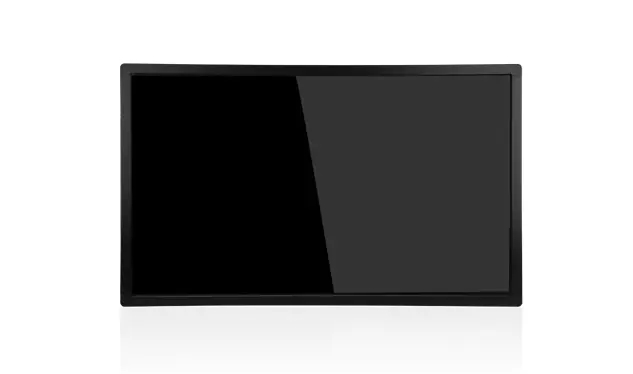
Banking service touch tablet
What is a bank service touch tablet? It is an integrated touch computing terminal located at bank branches, self-service banks, community financial stations, and even mobile exhibition sites. The body is compact, but the stomach is filled with things: touch screen display, computing host, ID card reader, bank card reader, password keyboard, camera, p
Send Inquiry
Product Description
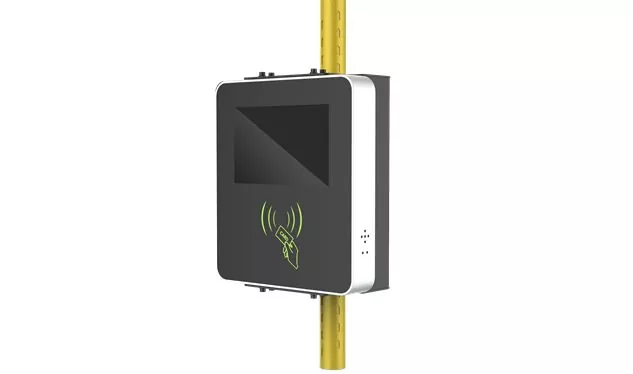
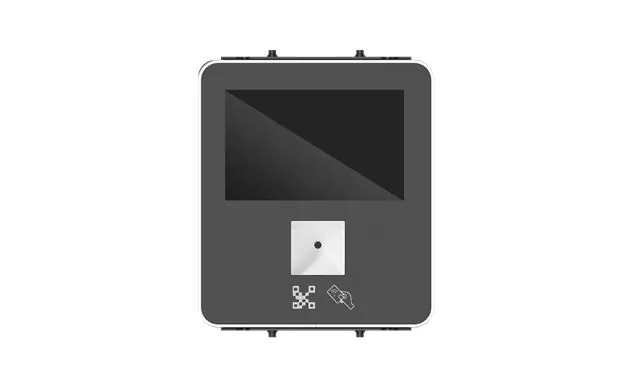
What is a bank service touch tablet? It is an integrated touch computing terminal located at bank branches, self-service banks, community financial stations, and even mobile exhibition sites. The body is compact, but the stomach is filled with things: touch screen display, computing host, ID card reader, bank card reader, password keyboard, camera, printing module - customers need to handle self-service inquiries, transfers, card opening, wealth management contracts, payments, printing receipts, service evaluations, relying on bank services to touch a tablet computer and complete the process with just one machine. If we take medical touch tablets as a reference, the two are two sides of the same coin: banking service touch tablets also emphasize high reliability, easy cleaning, and long-term stable operation, but their security formula is not medical electrical safety, but financial transaction compliance, account fraud prevention, and identity verification. Ultimately, medical touch tablets stand by the bedside to ensure patient safety and infection control, while banking service touch tablets stand in the financial scene to ensure customer fund security and transaction compliance.
Intelligent teller machines at branches: the most typical battlefield for bank service touch tablets
Looking at the industry applications in detail, the most commonly used scenario for touch tablet computers in banking services is undoubtedly the intelligent teller machines in bank branches. Customers use bank services to touch their tablets to swipe their ID cards, perform facial recognition, enter passwords, sign electronic names, open cards, transfer funds, sign financial contracts, print receipts, and complete high-frequency transactions on the spot - thus relieving the pressure of queuing at the counter. In the hardware list supporting this process, the bank service touch tablet must integrate a second-generation ID card reader, bank card reader, national encryption module, and metal encryption keyboard, and support PBOC, EMV, and national encryption standards. Here we can compare again: medical touch tablets also require identity verification and peripheral integration, but banking service touch tablets focus more on transaction tamper proof, anti money laundering, and privacy privacy protection - the two words "security" have different landing points on the two types of terminals, and dedicated touch control terminals are irreplaceable in key industries, but the principle is the same.
24-hour self-service banking: unmanned testing of banking services with touch tablets
Night shift, holidays, and no teller standing guard -24-hour self-service banking and unmanned area banking services touch tablets, carrying tasks such as inquiry, payment, credit card repayment, and passbook registration 24/7. There is no one on site, so the equipment has to be managed by oneself: anti riot structure, remote restart, operation record retention, abnormal alarm, and four other skills are equally indispensable for bank services and touch tablets. Medical touch tablet computers have faced the same continuous operation challenges in wards and emergency departments, and their mature experience in fanless cooling, wide temperature operation, and remote operation and maintenance is precisely worth the bank's service touch tablet computer copying operations. The difference also needs to be made clear: the bank service touch tablet is still pressed with compliance indicators such as financial transaction log upload, secure boot, and disk encryption on its head - it is these requirements that nail the bank service touch tablet into a reinforced financial self-service terminal, rather than a regular commercial tablet.
Lobby Guide and VIP Wealth Management: Touch Tablet Banking Services in the Dual Screen Era
Number retrieval, business inquiry, service evaluation, lobby guidance, and bank service touch tablets are available for multiple tasks in the lobby guidance and queuing call scene: customers select the business type, and the system automatically connects to the queuing call system, with evaluation data uploaded in real-time to the service quality management platform. Entering the VIP lounge and wealth management room, the form of touch tablet computers for banking services has been further developed - the dual screen display design plays a major role: the main screen displays wealth management products to the customer manager, the secondary screen provides customers with information confirmation and electronic signing, and is equipped with a high-speed scanner and electronic signature pen, allowing for one-stop risk assessment and contract signing. This dual screen approach is not isolated: medical touch tablets are also commonly used in operating rooms and nursing stations for dual or large screen interaction, making it convenient for doctors and nurses to synchronize monitoring data and clinical information. It can be seen that dual screen collaboration and concurrent use of multiple peripherals have long been common capabilities of dedicated touch terminals.
Mobile Exhibition: Carrying Bank Services Touching Tablets Out of Branches
The application boundaries are still expanding outward. The bank customer manager carries the bank service touch tablet to the door, opens cards for enterprise employees in batches, or handles basic financial business in the community - the mobile exhibition and on-site service allow the bank service touch tablet to step out of the branch wall. What does the touch tablet computer rely on to support banking services without network cables? Long battery life, 4G or 5G communication, lightweight and portable, secure encryption - without one of the four, accessing the bank's core system is not secure. In terms of design logic, familiar faces can also be seen: medical touch tablets are equally portable, have long battery life, and wireless roaming in pre hospital emergency and mobile care. The ideas of the two mobile scenarios are similar, except that the highlight of bank service touch tablets is financial grade encryption and transaction integrity.
Community Finance Station: Bank Services Touching Tablets Go Down to the Grassroots
In the game of inclusive finance, bank service touch tablets are located in towns, communities, and convenience service centers, providing residents with small withdrawals, transfers, social security inquiries, and living expenses. The grassroots environment is complex, and bank services require a wide temperature range, easy maintenance, support for multilingual interfaces, and the ability to remotely upgrade touch tablets. Some models also come with an additional feature: a bank service touch tablet with an integrated coin exchange module that even accepts coin exchange and scrap recycling, expanding the radius of self-service. The trend is still familiar - the use of medical touch tablets in community healthcare and outpatient self-service scenarios is also declining. The actions of two types of terminals point to the same thing: dedicated touch terminals are extending from large institutions to grassroots service nodes.
Selection and deployment: Financial security is the first hurdle for bank service touch tablet computers
Which bank service touch tablet should I use first when purchasing? Financial security certification. Supporting UnionPay, PBOC, EMV, and national security algorithms, and being able to access the bank's core system, this is the admission ticket. Analogously, medical touch tablets must pass IEC 60601 certification, and banking service touch tablets must also pass mandatory security testing in the financial industry before they can be officially operated in branches. External devices are ordered according to their business scope: ID card readers, bank card readers, fingerprint scanners, cameras, high-speed cameras, encrypted keyboards. The higher the integration of bank service touch tablets, the smaller the space occupied by the counter. Computing power is divided by load: only running queries, queuing, and advertising playback, ARM platform or Intel Celeron is enough for banking services and touch tablet computers; To run Windows based counter software, credit systems, or complex reports, it is recommended to upgrade the bank service touch tablet processing platform to Intel Core i3 or i5 level. Installation focus: The bank service touch tablet in the bank lobby can be selected with a 21.5-32-inch vertical screen, while the counter embedded or desktop can be selected with a 15.6-21.5 inch screen. The IP65 front panel and fanless design are preferred - dust cannot be sucked in and there are few mechanical failure points, making the bank service touch tablet durable. When deploying multiple branches, remote centralized control, timed power on/off, operation record retention, transaction log uploading, and bank service touch tablet computer capabilities must be fully equipped; The mature practice of automatic saving of operation records and remote restart of medical touch tablets can provide a reference for compliance auditing and fault tracing of bank service touch tablets.
The role of touch tablets in banking services is becoming increasingly important
In summary, what is a bank service touch tablet? It is a professional terminal with financial grade security certification, multi peripheral integration, and remote operation and maintenance capabilities stacked on the chassis of commercial touch display technology. Ordinary tablets only undertake simple interactions, while medical touch tablets focus on medical electrical safety and antibacterial disinfection. Bank service touch tablets take the third path: around the self-service, intelligence, and compliance of bank branches, they serve as secure, stable, and efficient interaction nodes between customers and the banking system. The pace of transformation of branches towards lightweight, self-service, and community-based is continuous, and the application industry of touch tablets in banking services will continue to expand; The reliability design, identity verification experience, and remote operation and maintenance ideas accumulated by medical touch tablets in dedicated scenarios will continue to contribute to the bank's service of touch tablets.
Hot Tags: Banking service touch tablet, China, Manufacturer, Supplier, Factory
Product Tag
Medical touch tablet computer
Banking service touch tablet
smart home control touch tablets
Android touch tablet
Industrial touch tablet
Touch tablet computer for logistics management
Vending machine touch tablet
Digital signage touch tablet
igital signage touch tablet
Petrochemical control touch tablet computer
Related Category
Send Inquiry
Please feel free to give your inquiry in the form below. We will reply you in 24 hours.