

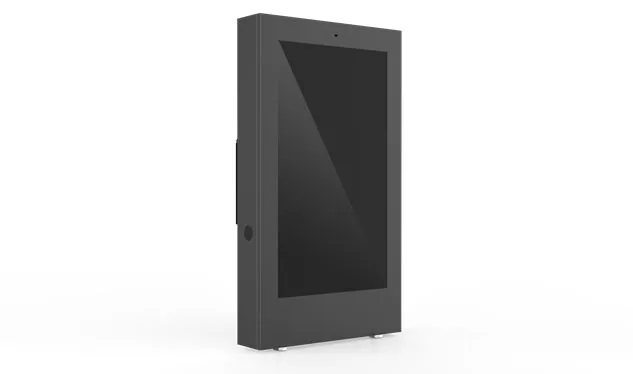
Desktop touch screen computer
One table top, one power cord, and the device can be put up to start - this is the simplest way to open a desktop touch screen computer. The computing host, display screen and touch layer are pressed into the same body, and the pitch angle is supported by the base. Some models can rotate the screen and raise and lower the height. It is complementary to wall mounted and embedded: the latter two eat walls and openings respectively. The desktop style does not transform anything, and it is fast to deploy and move away. This is the flexibility required for fixed work stations and service desks.
Send Inquiry
Product Description
One table top, one power cord, and the device can be put up to start - this is the simplest way to open a desktop touch screen computer. The computing host, display screen and touch layer are pressed into the same body, and the pitch angle is supported by the base. Some models can rotate the screen and raise and lower the height. It is complementary to wall mounted and embedded: the latter two eat walls and openings respectively. The desktop style does not transform anything, and it is fast to deploy and move away. This is the flexibility required for fixed work stations and service desks.
🖥️ Design logic: the table is its stage
The difference between the three forms is essentially in the installation path: wall mounted type borrows from the vertical wall, embedded type needs to dig holes on the panel, and desktop type directly "falls" on the table - the installation surface is zero transformation, and today you put this table, tomorrow you move that window, and you can use it whenever you want.
One fuselage, the whole set of things are inside
The host, screen, touch layer and interface are all integrated, no external display is required, no additional host is required, and the power cord can be plugged in to operate. The base generally supports -5 ° to 90 ° pitch adjustment. Some models can be rotated left and right or directly cut into vertical screens. Both sitting and standing operations can be adjusted to a comfortable perspective. Further: The base is detachable, and the VESA 75 × 75mm or 100 × 100mm standard hole position is reserved at the back of the fuselage - when the wall and cantilever will be changed, the same machine will directly transform the form, and one machine can be used for multiple purposes.
Touch and display: configured according to table lighting
The mainstream of touch control is capacitive 10 points, which can be operated by fingers and writing pens. Some industrial models are compatible with glove touch. The size ranges from 10.1 inches to 27 inches, and 15.6 inches and 21.5 inches are the maximum sizes; The resolution covers 1366 × 768 to 1920 × 1080. The brightness is generally 220~350 cd/m ², and the high brightness model can be upgraded when the table is close to the window or semi outdoor - the version above 500 cd/m ² is available. The screen surface can also be equipped with AG anti glare and AF anti fingerprint coating. There is less reflection and fingerprint, and it is easy to wipe the screen.
Interface bandwidth and dual screen expansion
The tabletop equipment is naturally connected with a pile of things. Typical configuration: 2~4 RS-232/485 serial ports, 4 or more USB ports, 1~2 gigabit network ports, HDMI output, audio interface. The other is dual screen display: the main screen is for the operator, and the secondary screen displays the order details or promotion content outward - cashier, hotel front desk, government affairs window and other "both sides must see" scenarios, relying on it to achieve two-way interaction.
System platform and calculation gear
Windows, Linux and Android support it. Computing power is classified according to load: lightweight information query, advertisement broadcast, ordering application, ARM platform or Intel Celeron level is enough; Running Windows professional software, MES client and medical imaging program, it is recommended that Intel Core i3/i5 be equipped with 8~16GB memory and 128~512GB SSD.
🖥️ Five types of high-frequency positioning scenarios
Retail cashier and catering
The main cashiers of convenience stores, coffee shops and fast food stores. The cashier operates on the main screen, and the customer checks the consumption details on the secondary screen; 80mm thermal printer is built-in or external, code scanning gun, cash box and card reader are connected through serial port - cashier, member verification and payment are completed in one go.
Hotel front desk and government affairs window
The hotel uses the desktop terminal to check in, check room status, and handle accounts. The dual screen model allows guests to confirm information on the same screen with less wrangling. At the side of the government affairs window, the ID card reader, high beat meter and evaluator are used to move the whole process of service guide inquiry, material entry and evaluation interaction onto the screen.
Medical care station and pharmacy
Recognize the medical model certified by IEC 60601-1: antibacterial shell, fan free mute, placed on the table of nursing station, pharmacy, consulting room, access to patient information, check doctor's orders, and manage drugs. Wearing gloves to touch is especially lifesaving in the medical scene - the screen responds as usual when you wear something on your hand.
Plant console and MES station
The industrial desktop terminal on the production line console and the shift leader's position plays the role of MES: electronic SOP display, work report data collection, and equipment status monitoring are all available. The serial port is directly connected to the PLC. The dual network ports separate the MES data from the equipment network. The IP65 front panel carries the dust and oil mist.
Office and meeting interaction
Conference room, training room, reception area at the front desk, desktop terminal for meeting appointment, sign in, information release, video call. Windows/Android dual system models can be switched between applications at any time. The built-in camera and microphone provide a basic disk for audio and video interaction.
Hot Tags: Desktop touch screen computer, China, Manufacturer, Supplier, Factory
Product Tag
Embedded touch screen computer
Industrial equipment touch screen computer
Medical equipment control touch screen computer
On board terminal touch screen computer
Educational multimedia touch screen computer
Retail cashier touch screen computer
Factory production line MES touch screen computer
Dining room buffet ordering touch screen computer
Hotel self-service check-in touch screen computer
Logistics warehouse management touch screen computer
Related Category
Send Inquiry
Please feel free to give your inquiry in the form below. We will reply you in 24 hours.