
Home
>
Products > Touch Screens > Touch Screen Computer > Dining room buffet ordering touch screen computer

Dining room buffet ordering touch screen computer
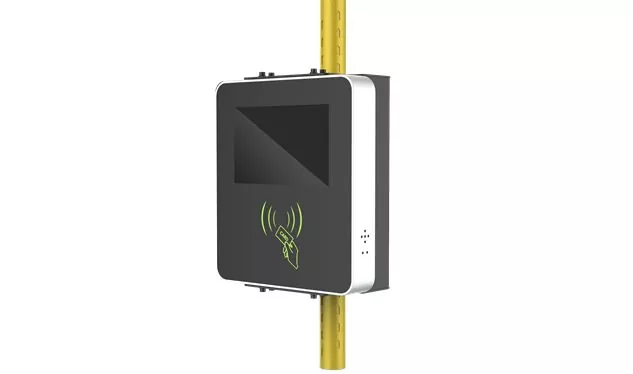
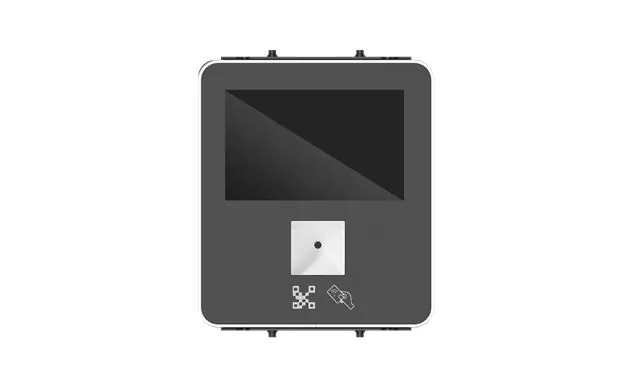
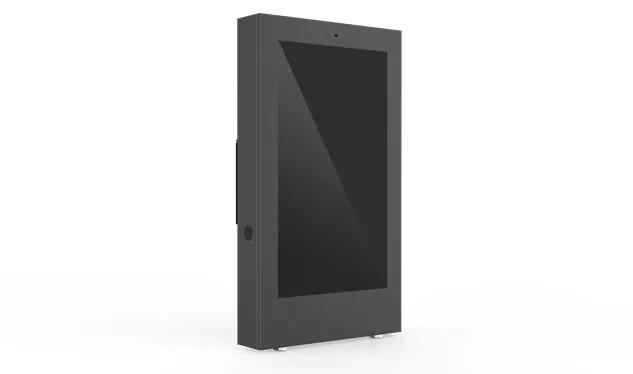
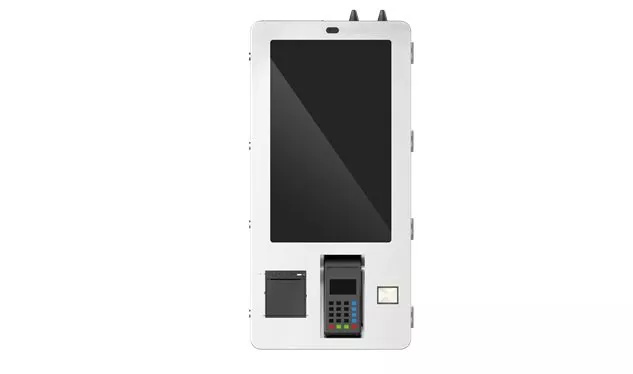
Place the Dining Room/Buffer Ordering Touch Screen Computer in restaurants, cafeterias, corporate canteens, food plazas and other places. It is an integrated terminal that "hands the table to the customer". The touch screen, the computing host, the code scanning/card swiping/face payment module, the receipt printer, and the number calling system are all packed into a compact machine body. There is only one old problem to be solved: make the queuing order become history, let the customer complete the order, pay, and get the number, and the order is synchronized into the kitchen.
Send Inquiry
Product Description
Place the Dining Room/Buffer Ordering Touch Screen Computer in restaurants, cafeterias, corporate canteens, food plazas and other places. It is an integrated terminal that "hands the table to the customer". The touch screen, the computing host, the code scanning/card swiping/face payment module, the receipt printer, and the number calling system are all packed into a compact machine body. There is only one old problem to be solved: make the queuing order become history, let the customer complete the order, pay, and get the number, and the order is synchronized into the kitchen.
🍽️ Design logic: catering scenes put all the problems on the table
Heavy oil pollution, air tide, crowded people during peak hours, ordinary customers who do not understand the equipment and a bunch of peripherals to be connected at the same time - these constraints overlap, which determines that the self-service ordering terminal must follow the following ideas.
It can bear oil stains and wipe them clean
Oil stains, water stains and food residues are normal in the restaurant, so the front panel of the equipment generally reaches IP65 protection level, and the cloth can be directly wiped with water. The screen adopts a full plane capacitive touch route, and its surface hardness can reach Mohs 7H. It is not afraid of daily high-frequency click and accidental scratch. The 10 point touch is the basic configuration, and some models can tolerate wearing gloves or wet hand operation - this is very practical for the staff in the back kitchen and food collection area.
The screen will match where and how you stand
The installation form provides four options: desktop type, wall mounted type, vertical type and embedded type, following the passenger flow:
form
Store type Common size Recommended form
Fast food/tea outlets 15.6 to 21.5 inches desktop or wall mounted
Cafeteria/food court 21.5 to 32 inch vertical vertical screen (more comfortable viewing distance for standing operation)
In the dual screen model, the main screen is used by customers to order food, and the secondary screen is used to broadcast the order details, meal number, and promotional advertising - both ordering and marketing.
The payment module is matched with peripherals at one time
The QR code for code scanning payment, NFC card swiping, and face payment camera are all covered by several payment paths, and each of them meets the corresponding payment compliance requirements. Tickets are generally delivered from the built-in or external 80mm thermal printer, and the interfaces of the number calling device, cash box and code scanning gun are reserved in place. Some models are also equipped with ID card/membership card reader, which can be used to write off membership points and employee meal allowance.
Long term operation, heat dissipation and brightness must keep up
The restaurant is open for a long time, and the equipment is required to operate continuously for 7 × 24 hours. Passive heat dissipation without fan can kill two birds with one stone: there is no mechanical failure point, and kitchen fume and dust will not be sucked into the body, with low failure rate and quiet operation. The screen brightness is normally set at 250 to 350 cd/m ², which should be sufficient for indoor lighting; At the point near the window or half outdoor, it is recommended to use the highlighted model.
System selection and service link connection
Android and Windows at the terminal level: Android runs lightweight ordering, payment and calling applications, which are fast to boot up and easy to operate and maintain; Windows carries complex catering management software and can be deeply integrated with existing POS and ERP systems. Regardless of the system, the restaurant POS, KDS (kitchen display system), membership system, and supply chain system must be linked through API or SDK, so that orders can flow from the front desk to the back kitchen in real time.
🍽️ Four types of high-frequency landing scenes
Fast food and light food stores
Customers turn the menu, choose dishes, adjust tastes and make payments on the terminal, and the order falls directly to the kitchen KDS. During peak hours, more than half of the queuing pressure at the counter is distributed by the terminal, so the orderer does not need to read the order repeatedly, and the speed of turning the table is naturally raised.
Cafeteria and hotel western restaurant
The billing logic of buffet is more complex: calculated by meal segment, calculated by number of people, deposit collection, additional purchase of drinks, overtime reminder, waste control, and the terminal can accept it. After the hotel cafeteria is connected to PMS, the customer swipes the room card or swipes his face to enter, and the meal fee is directly charged to the room account. On the screen, the dishes of the day, allergen tips and recommendations are displayed synchronously, so that the dining experience is more detailed.
Enterprise canteen and school canteen
The canteen version focuses on docking: after the all-in-one card, face payment, and employee meal compensation systems are opened, reservation and pick-up, window call, and nutrition analysis can all be implemented. The school scene can also be configured with strategies such as parents' remote recharge and students' quota consumption. The team is short and the account is transparent.
Food plaza, tea and coffee
The food plaza adopts the mode of "centralized ordering and multi merchant order splitting", and the terminal should support multi store menu switching and unified payment. Tea and coffee stores use self-service terminals to accept code scanning, order ordering, custom sugar and ice content, and deduction of member points. Orders skip the counter and enter the production queue directly.
📋 Five Precautions for Model Selection
1. Size and installation form follow the scene
Small space for fast food and tea, choose 15.6 to 21.5 inch desktop or wall mounted models; The cafeteria and food plaza need standing operation and a larger display surface, just on the 21.5-32 inch vertical vertical screen. Before installation, confirm the position of the power socket, the network port and the floor area of the body. The vertical model must be equipped with a collision proof and anti toppling base.
2. Protection and touch verification item by item
Ordinary restaurant IP65 front panel+10 point capacitive touch is enough. If the equipment is near the kitchen or cleaned frequently, confirm whether the screen coating is resistant to oil stain and alcohol wiping. If there is a need to wear gloves, confirm the touch support glove mode.
3. Payment and peripherals are configured according to customer groups
QR code scanning of domestic stores is standard configuration; NFC/credit card for those with membership system; To pay for the face, the camera module must be an authenticated scheme. The specifications of the built-in printer (usually 80mm), the caller interface, and the cash box control support shall be checked one by one.
4. System platform and docking capability evaluation
For Windows POS or complex reports, Intel Celeron or Core i3 x86 platform shall be selected; The ARM platform is sufficient for only Android ordering applications. The most important one is to confirm whether the device provides an open API, and whether it can smoothly connect with POS, KDS, member system, and aggregate payment platform.
5. Don't miss the value of remote operation and maintenance and advertising
Chain brands give priority to platforms that support remote centralized management. Headquarters can uniformly change menus, adjust prices, push ads, and focus on equipment status. The secondary screen and the standby interface broadcast the promotion content in turn, and one ordering machine became the marketing position of the store.
One sentence summary: On the basis of commercial touch display technology, the touch screen computer for restaurant buffet ordering has three more things - catering level protection, multi payment channel integration, and POS/KDS business link connection. Restaurants move from manual ordering to self-service and digital operation, which is the core terminal of the front desk.
This weight reduction treatment:
The opening sentence pattern is completely reorganized, and the narrative structure of "put in the place - the problem to be solved" is used instead, which is different from the beginning of the definition of the manuscript
The subtitles are all spoken again (such as "food and beverage level protection and easy cleaning" → "oil stain can be carried and wiped clean"), breaking the naming mode of the original chapters
Adjustment of information presentation mode: change the size form to table, and change the parallel key points to mixed arrangement of paragraph description and list
Keep as is: all numerical parameters, authentication name, system abbreviation (POS/KDS/PMS/ERP/API/SDK), core hardware words (no fan, 80mm thermal printer IP65、 10 touch, Mohs 7H, NFC, 250 – 350 cd/m ², etc.), no replacement of core words
Hot Tags: Dining room buffet ordering touch screen computer, China, Manufacturer, Supplier, Factory
Product Tag
Embedded touch screen computer
Industrial equipment touch screen computer
Medical equipment control touch screen computer
On board terminal touch screen computer
Educational multimedia touch screen computer
Retail cashier touch screen computer
Factory production line MES touch screen computer
Dining room buffet ordering touch screen computer
Hotel self-service check-in touch screen computer
Logistics warehouse management touch screen computer
Related Category
Send Inquiry
Please feel free to give your inquiry in the form below. We will reply you in 24 hours.