

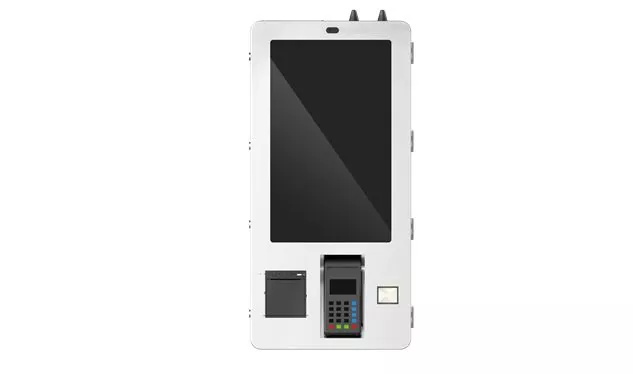
Educational touch screen monitor
The application of educational touch screen monitor (interactive teaching all-in-one machine/smart blackboard) has developed from a simple "display+touch" device to the teaching interaction center of smart classroom. It runs through before, during and after class, covering ordinary classrooms, functional classrooms, training rooms, meeting rooms and campus public spaces. Compared with government equipment, educational application emphasizes more on multi person cooperation, classroom interaction, eye care and health, and teaching software ecology.
Send Inquiry
Product Description
The application of educational touch screen monitor (interactive teaching all-in-one machine/smart blackboard) has developed from a simple "display+touch" device to the teaching interaction center of smart classroom. It runs through before, during and after class, covering ordinary classrooms, functional classrooms, training rooms, meeting rooms and campus public spaces. Compared with government equipment, educational application emphasizes more on multi person cooperation, classroom interaction, eye care and health, and teaching software ecology.
1、 Divided by teaching scene
Normalized classroom teaching: instead of traditional blackboard+projection, directly open PPT, PDF, video, web page, touch writing, annotation, erasure, and saving. Reduce equipment switching, blackboard writing can be saved and shared, and the classroom rhythm is smoother
Interactive and collaborative classroom: more than 20 touch points are supported, and multiple students are on the stage to write, drag and drop classification, wiring, and puzzles at the same time; Combine random selection, voting and group competition. Improve participation, suitable for group exploration and all staff interaction
Remote/dual teacher classroom: synchronize pictures, share blackboard writing and voice interaction with remote classroom through video conference software or proprietary platform. Cross school sharing of high-quality teachers to solve the shortage of resources in remote areas
Recording and broadcasting and micro lesson production: one button screen recording, with camera tracking, recording teacher's teaching, blackboard writing, courseware operations, and generating playback or micro lesson. It is convenient for students to review after class, and supports teaching, research and resource accumulation
Experiment/training teaching: run virtual simulation software to display 3D model, molecular structure, mechanical disassembly, circuit connection, nursing operation, etc. Reduce the cost and risk of experiments and make abstract knowledge visible
Maker/Programming/STEAM: graphical programming, robot control, work display, multi screen collaboration. Support project-based learning and cultivate hands-on and innovative ability
Campus exhibition and conference: hall information release, campus culture display, activity sign in, conference report, training lectures. One computer for multiple purposes, improving the image of campus informatization
Special education and early childhood education: touch graffiti, animated stories, game based exercises, visual assisted communication. Intuitive operation, suitable for young children and students with special needs
2、 Divided by teaching links
Before class: teachers use whiteboard software to prepare lessons, call cloud courseware, subject tools, micro lesson resources, and design classroom activities.
In class: introduction of new lessons, teaching and demonstration, random questions, voting feedback, group competition, classroom practice, and immediate evaluation.
After class: one click sharing blackboard writing and courseware, students can review the recording, complete online homework, and teachers can analyze the learning situation.
3、 Typical function application
Whiteboard writing and annotation: support simultaneous writing by multiple people, gesture erasure, unlimited roaming, and saving as pictures or PDFs.
Wireless screen projection and multi screen interaction: mobile phones, tablets, laptops, one button projection, group screen and large screen linkage, facilitating the display of results.
Classroom activities and immediate feedback: voting, multiple choice questions, preemptive answers, random selection, group scoring, and the system automatically counts the results.
Discipline tools and resource library: mathematical geometry sketchpad, function image; Physical circuit simulation and mechanics demonstration; Chemical molecular model; Geographical globe; Word order and reading aloud; Oral English assessment, etc.
Screen recording and playback: one click recording classroom, generating micro lesson, and supporting code scanning and sharing.
Remote collaboration: combined with video conference, realize synchronous classroom and network teaching and research in different places.
Eye protection and health: RG0 hardware is anti blue light, no stroboscopic, AG anti glare, and reduces the reflection of classroom lights.
4、 Difference in application by learning period
Kindergarten: game oriented graffiti, animation stories, rhyme of children's songs, simple drag and drop exercises.
Primary school: interesting interaction, new word writing, oral arithmetic contest, scientific observation, English following.
Middle school: Geometer's Sketchpad, Experimental Simulation, Mind Map, Wrong Question Explanation, Group Inquiry.
College/vocational education: professional software operation, virtual simulation, remote teaching, practical training demonstration, project report.
Enterprise/adult training: conference demonstration, skill assessment, interactive discussion, remote training.
5、 Mainstream software ecology
The value of educational touch screen monitor depends to a large extent on the supporting software. Common ecology includes: Schivol whiteboard 5, Honghe π, teaching assistant, class optimization master, etc., which supports cloud courseware, classroom activities, student evaluation, and home school interaction. Some devices also integrate AI voice assistant, AI correction, and learning situation big data analysis to help teachers teach accurately.
6、 Application trend
In the future, educational touch screen monitors will be more deeply integrated into AI, big data, 5G, Internet of Things and ICT systems:
AI helps to generate courseware, correct homework, and analyze learning situation;
5G supports low latency remote dual teacher classes;
The Internet of Things realizes the linkage of lighting, air conditioning, recording and broadcasting;
Xinchuang adapts to domestic operating systems and chips to ensure the safety of education information.
In general, the application core of educational touch screen monitor is student-centered: turn the classroom from "one-way teaching by teachers" to "multi-party interaction and cooperation", and from "blackboard+projection" to "integrated intelligent teaching platform". If it is necessary to further elaborate on a certain learning period or specific scene (such as primary school Chinese, vocational training, double teacher class), it can continue to explain.
Hot Tags: Educational touch screen monitor, China, Manufacturer, Supplier, Factory
Product Tag
Government affairs touch screen monitor
Educational touch screen monitor
Conference touch screen monitor
Charge Point touch screen monitor
Self service terminal touch screen monitor
POS cash register touch screen monitor
Industrial touch screen monitor
Medical device touch screen monitor
Security touch screen monitor
Smart home touch screen monitor
Related Category
Send Inquiry
Please feel free to give your inquiry in the form below. We will reply you in 24 hours.